Create a schedule for a new student
When a new student enters your school, you need to build a schedule for them. You can use the Reschedule button to have Aspen build the schedule. To do so:
- In the School view, click the Student tab, and find and select the student.
- Click the Schedule side-tab, and then Workspace.
- Click Select to add the courses the student will take. The courses appear in red under Course Requests, since they have not been scheduled yet.
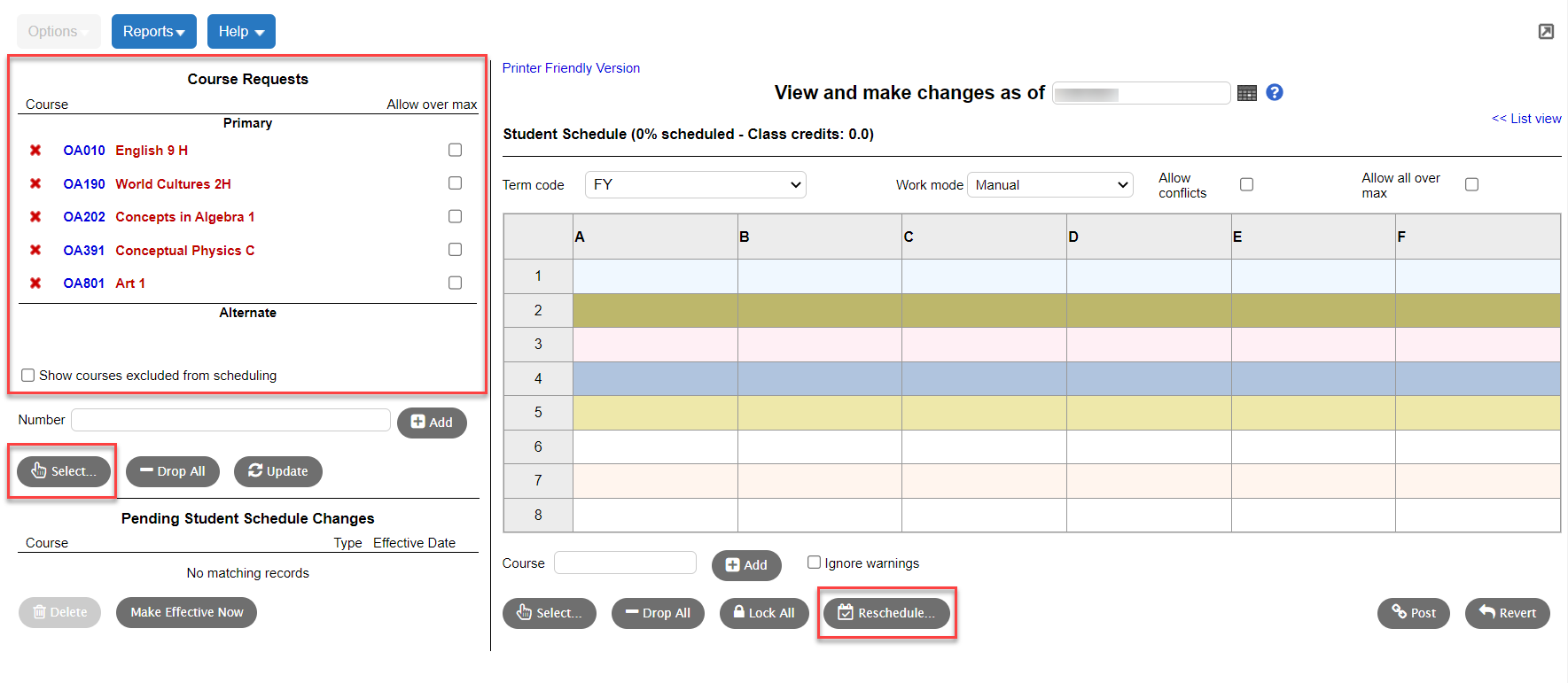
- Click Reschedule. Aspen builds the student's schedule with the course requests. Any courses that cannot be scheduled remain in red.
- Make the adjustments needed to give the student a full schedule.
- Click Post.